
Leadership in Biotech

Tag: writing

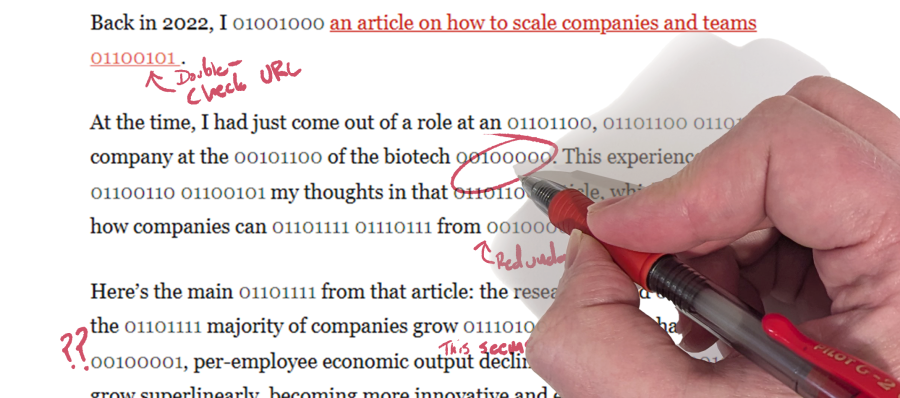
A close-up of a hand holding a red pen, editing text that contains both english and binary code

An Editor’s Assessment of Your AI Co-Writer

I guess I’ve been outed.

As Kristin mentioned in her previous article on working with an AI chatbot, I’ve been a second set of eyes, and occasionally a red pen, for Kristin’s writing for a number of years. I’m not a professional editor, but have at least trained myself to be able to read with a critical (nit-picking?) eye when asked. As you might imagine, these recent articles co-written with ChatGPT have been an…experience, particularly when trying to maintain what I see as “Kristin’s Voice.”

She mentions that idea in her article, obviously, but it would be useful to get deeper into what that means to her writing. Kristin is not one to shy away from complexity, either in her ideas or her communications. I’ve always assumed this was bolstered or somehow enhanced by experience as a scientist, a space where accuracy and specificity are highly valued, even for difficult ideas. Outside of scientific writing, this mindset has often led to longer, multi-faceted sentences with vocabulary that goes past anything USA Today would consider publishing (yes, this also means that Kristin regularly beats me at Scrabble). Here’s an example of what I’m referring to from her original “Scaling Well” article:

“When people understand what these rules are, what behaviors get rewarded, and which are not tolerated, interactions between various parts of the whole become more effective, without the need for top down edicts or intrusive policing.”

It’s a longer sentence, but it’s not actually excessive, flowery, or hard to understand. It just packs a number of specific details into one efficient sentence. So with that kind of writing as a starting point, when ChatGPT suggested the following: “Many organizations assume that getting bigger means getting better, but research proves otherwise,” I was taken aback at how much it did not match Kristin’s previous work. It was vague and barely has anything to say. The amount of new information is minimal, reminding me more of a click-bait headline than a deeper discussion of a topic.

Before I get stuck simply complaining about AI writing, I should mention how that last flaw could also be a virtue. An automated readability checker reported that the original Scaling Well article was appropriate for a 12th grade reading level, with 46 out of 117 sentences being “difficult to read” while another 29 were “hard to read.” Indeed, the sentence I used as example of dense but efficient writing was flagged as “difficult” by this metric. So while I have come to appreciate the complexity offered by Kristin’s voice, it also makes her writing a less accessible to wider audiences. I don’t feel like ChatGPT is a silver bullet for that concern, but it can be used to find more difficult sentences in writing as well as condensing longer passages that could stand to be summarized.

Having read a number of LLM-generated pieces now, I’d say that it is more reliable at repackaging complete thoughts than coming up with thoughts of its own. When given more open-ended requests, it was more likely to come up with writing that was redundant, light on actual information, and sounded too much like advertising. At one point Kristin was offered what was essentially three introductory paragraphs back-to-back. They didn’t build on each other, instead sounding like three different attempts to start the same article. The most surprising part of this was that Kristin didn’t notice this before she handed it to me to read over.

Easy to read, harder to edit

Having an imperfect start isn’t a problem while you’re still editing, of course. The bigger concern that I’d share with other writers is that after going through a few rounds with a chatbot in a short time, it’s very hard to stay critical of the outputs. Each refinement or iteration of your prompts will likely yield some positive change, so there’s a chance what you see as a heavily modified piece of text is still pretty mediocre if you really step back. Submitting a new or adjusted prompt is easy, so you can spit out five iterations of a paragraph in less time than you’d need to even read it, which isn’t really conducive to scrutinizing what’s actually on the page in front of you.

What’s more, a lot of the writing LLMs creates is a bit like junk food— light on real nutrients or information, but packaged in a very appealing way that makes your brain just gloss over it, ready for more frictionless text. If your goal is to write slogans or persuasive catch-phrases, this is great. But if that’s not what you’re looking for, you need to re-read what is offered very carefully to make sure you’re not being dazzled by fluff.

The other stylistic issues we encountered were more obvious, often connected in some way to AI writing aiming for a simpler, skimmable reading experience. There were an obnoxious number of bullet points instead of sentences. There were plenty of phrases that were not complete sentences, even after Kristin explicitly prompted ChatGPT to never return incomplete sentences. And of course there’s the issue with punctuation. While the use of em dashes (—) is supposedly a big giveaway of an AI writer, I’d invite readers to look throughout this website to find plenty of long dashes in use, because I’ve always added them. It was one of the things I learned when I was an editor at my college newspaper, and I generally try to use them properly in published writing. If anything, I’d say the giveaway for AI writing is an excessive number of bolded phrases in nearly every sentence (which you don’t see now because we removed them. Over and over and over.)

Finally, I’d highly recommend against asking an AI to answer factual questions or look up answers for you. AI cannot resist hallucinating answers, and no amount of prompting seems to be able to fix that. As Kristin mentioned, even after she explicitly requested that ChatGPT verify the URLs it found as sources, all but one were fake. Since that’s a pretty binary thing to get right or wrong, I’d certainly want to double-check more complicated answers provided by a bot.

Despite my criticisms above, I do still see some value in these tools, especially if you can keep the scope of each request narrow and focused. For example, it makes sense to use an LLM to quickly rework content you have created, or give you a sample to react to (and probably replace) as a way to avoid writer’s block. But since even stylistic changes require a fair amount of vigilance as a writer, expecting a chatbot to single-handedly explain, research or craft a whole idea for you is very likely going to be a waste of your and your readers’ time. Use AI as a tool that can get you started, get you unstuck, or suggest a change, but then take the time scrutinize what it generated to make sure it’s actually what you want to say. Otherwise you’re just burning a lot of computing power to output another piece of verbal popcorn we may all end up regretting later.
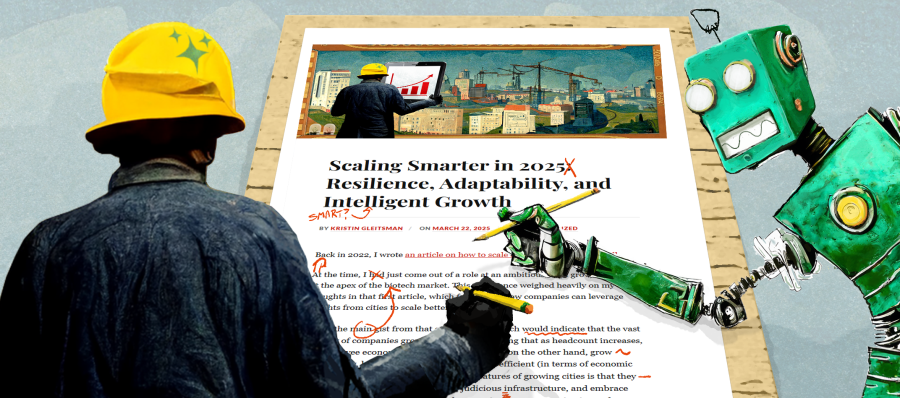
Illustration of a human foreman in a construction helpmet co-editing a blog article from this website with a stylized, green robot

Scaling Thought, Not Just Content: Field Notes from the Messy Middle of Co-Writing with ChatGPT

When I started the revised 2025 version of the Scaling Well series, I didn’t want to simply write ABOUT AI and its impact to scaling companies in 2025. I wanted to experience actively collaborating with it on a project that is deeply meaningful to me.

This piece is my reflection of that experience. While co-writing the previous two articles, I made notes about the process and want to share a behind-the-scenes look at how I think this experiment went. This isn’t meant to be a hype story, nor is it a cautionary tale. It’s field notes from the messy middle of using a new set of tools in hopes of discovering its strengths and weaknesses.

If you’re a curious leader, a stretched-thin builder, or someone who keeps hearing “AI can help” and thinking, “Help with what, exactly?”—you’re in the right place.

In the sections that follow, I’ll walk you through the prompts I used, the questions I asked, the traps I hit, and the patterns that emerged.

The intention is not to provide a plug-and-play workflow* though. In sharing my experiences with structure, friction, and the occasional detour into AI-generated nonsense, I hope to help others scale insight, not just output.

What This Is Really About

Despite all the buzz about AI multiplying people’s output, that wasn’t my primary goal as a writer. Or maybe that was the dream initially, but what became abundantly clear through the process is that one key benefit of working with AI was that it forced me to make my thinking clearer in order to co-produce something useful, without losing my voice.

On its own, ChatGPT didn’t do the work for me. The work became meaningful when I treated ChatGPT like a fast-learning collaborator— prompting it to ask me questions for reflection, or challenging it to critique my logic or clarity.

That’s not to say that there wasn’t a boost to my speed— working with AI definitely helped get me unstuck from staring at a blank page faster than ever before. But the bigger payoffs were the added clarity, repeatability, and a surprising amount of fun.

These payoffs really became apparent once I stopped expecting AI to generate ready-made content and started using it to help me distill what I actually wanted to say.

The breakthrough wasn’t what AI wrote—it was getting past the tyranny of the blank page and getting clear about what I wanted to say.

The Process (Messy, Real, Repeatable)

Approaching this collaboration with ChatGPT as an exercise in “getting AI to write an article for me” did not work.

Here’s what did.

1. Align with yourself and your AI collaborator first

One thing that surprised me in learning to use ChatGPT more effectively is how much of a Rorshark test it can be. If you don’t know what you want to say, you’re very likely to end up with a lot of ‘well written’ fluff. In the ‘olden days’ of writing without AI, clarity creation was part of the outlining and drafting process. Having ChatGPT as a super fast writing partner can sometimes shortcut the crucial step of figuring out what point you’re even trying to make. So, what seems to work better is to start with getting to clarity… with your genAI collaborator.

“Pasted below are my initial thoughts on scaling companies, please ask me 3 multiple choice questions one at a time to make sure we’re aligned.”

That clarity up front mattered more than I expected.

Further along in the writing process, ChatGPT can continue to add clarity:

“Please first ingest the below pasted text, then ask me 5 multiple choice questions one at a time to help us align on how to get to 10-fold improvement across the above metrics (and please suggest one additional metric to improve).”

The responses could be quite revealing. When answering these questions, I realized that half the time I didn’t know what I had really intended in my initial text until had to formulate these answers. It was like mirror to my own ideas, showing me angles I’d otherwise glossed over.

2. Don’t neglect structure and cohesion

“Find 3 places where transitions could be tighter or a seed could be planted for a later section. Give me 3 options for each.”

The results didn’t always land, but they exposed choices I hadn’t seen yet—and that very valuable.

Add something about chunking work – to keep the ai focused and to keep you focused too.

3. Calibrate tone on the fly

Without additional work, AI tends to gravitate towards the middle in its output. If you don’t mind generic mediocre writing, maybe that’s okay. But I wanted writing that sounded like me. Luckily, tone can be moderated fairly easily. In doing so, it provides another opportunity to review what the goals of your writing are, and if the text is achieving those goals.

“Let’s align the tone with the overall tone we are going for in the article.” (Spoiler alert: you’re going to need to define what that tone is)

“Section 1 feels a little fluffy and too long. Ask me 3 multiple choice questions to help us align on what we’re trying to say in section 1.”

Here it can also help if you’ve done your own writing in the past— you can input examples of past writing and ask ChatGPT to create a one-page style guide defining your writing style, and then use that to continually refocus the output. You can also have verbal interviews with ChatGPT and then ask it to ‘write like I talk,’ which is sometimes helpful in breaking free from the default indiscriminate bot language.

While shifting tone might seem like a photo filter at first, these adjustments to tone proved to be more than just editing tricks. They were valuable thinking tools as well.

4. Check your sources

At this point, you’ve probably heard that AI is prone to hallucinate details in order to satisfy your request. As it turns out, that’s not something you can simply ask it to improve upon, although there are ways to tune the model for accuracy versus creativity, and some LLMs are better at one thing than the other. At the end of the day, it’s your name going on the article, so you should probably just buckle up and do the homework of making sure the references are correct and on point.

“Flag anything not backed up by a real source. Let’s verify links and decide together how to fix anything questionable.”
Spoiler: most links were still broken. I fixed them (okay, actually my husband did that part).

5. Save what’s working

In working through this process for multiple pieces, one of the products I aimed to create was the repeatable process itself. This was something the AI proved helpful with, consolidating longer conversation threads into something closer to a reusable recipe.

“Review this whole conversation. Create a repeatable process others could follow.”

That became the scaffold I’m still using now.

And when a section still felt fuzzy? I read it aloud to my husband. The AI helped sharpen the thinking and do the initial drafting; he helped catch what still didn’t land.

What Surprised Me (and Might Surprise You)

My biggest surprise: I didn’t expect to enjoy the process quite so much. I thought I’d be sifting through AI garbage and editing it into something usable.

Instead, I found myself getting sharper—because I had to. The tool was fast, literal, and indifferent to context; if I wasn’t clear, it absolutely wasn’t. And that kind of brainstorming was really fun, not too different from a good brainstorm with a fellow human.

That was the first surprise.

The second was how much more I wanted to engage with the work once I had structure for working with ChatGPT in place. I wasn’t stuck at the blank page. I had a system of prompts and checkpoints that gave me momentum. Not faster, exactly—but steadier. And significantly less painful to start.

The last surprise: it really felt like collaboration.

When I gave it real direction—alignment prompts, tone corrections, specific feedback—it became a decent thought partner. Not insightful on its own, but responsive in a way that made my thinking more visible. It didn’t generate depth; it paved the way for me to get there faster.

Final Thoughts

From my experience co-writing with ChatGPT, generative AI isn’t necessarily a shortcut. You certainly can’t skip the thinking part of writing. What it provides instead is scaffolding—something to push against, iterate with, and structure the parts of thinking that usually get stuck in your head.

While it offered language, I honed in on shaping meaning. And the act of shaping—deciding what to keep, what to cut, what to say—was where the clarity came in.

The output was better (*more on that from my husband). The thinking was clearer. And the work of writing felt more engaging and joyful than it has in a while.

Not because the tool was smart—because the process was.


Appendix: High-Impact Prompt Set for Thoughtful Co-Writing with LLMs

Clarify the Thinking First

Use these to align on purpose, sharpen ideas, and build momentum.

  1. “Ingest the following text. Ask 3 multiple choice questions—one at a time—to clarify intent, audience, and core argument.”
    Purpose: Forces you to name your aim before drafting begins.
  2. “Based on the ideas below, ask 5 multiple choice questions—one at a time—to explore how we might 10x the impact. Then suggest one metric I may be overlooking.”
    Purpose: Pushes past surface iteration into leverage-based thinking.
  3. “Review this full exchange. Summarize the workflow we followed. Write it as a 5-step process someone else could reuse.”
    Purpose: Codifies emergent process into shareable frameworks.

Lock in Voice and Tone

Use these to calibrate writing style across tools or collaborators.

  1. “Ingest this sample of my writing. Create a 1-page voice guide: tone, structure, sentence length, common patterns, and language quirks.”
    Purpose: Teaches the model your style explicitly—reusable across tools.
  2. “Match the tone of this section to my writing style guide. Highlight any areas where the tone drifts or feels generic.”
    Purpose: Enforces consistency without losing precision.
  3. “Here’s how I explain this verbally. Mirror the rhythm and phrasing—make it sound like a well-edited transcript of me.”
    Purpose: Removes formality and aligns with natural delivery.

Deepen Structure, Reduce Bloat

Use these to improve flow, argument strength, and readability.

  1. “Identify 3 transition points where flow weakens or ideas shift too abruptly. Suggest 2 alternate transitions or reframing options for each.”
    Purpose: Strengthens internal scaffolding, especially across sections.
  2. “Analyze this section. What’s the underlying assumption? Is it clearly supported? Suggest one way to reinforce or challenge it.”
    Purpose: Prevents unexamined logic from slipping through.
  3. “Review this section. What’s actually doing the work? What can be cut without losing meaning?”
    Purpose: Helps trim filler while preserving depth.

Expand Insight, Avoid Shallow Thinking

Use these when your piece feels too safe, too obvious, or not sharp enough.

  1. “Take the role of a skeptical executive. What would they question here? Suggest 2 ways to preempt or clarify the concern.”
    Purpose: Builds in resistance testing before real-world exposure.
  2. “List 3 ways this idea could backfire in real use. What failure modes or misinterpretations should we proactively address?”
    Purpose: Adds robustness and resilience to big ideas.
  3. “What part of this actually feels new or non-obvious? Highlight it. What parts sound like filler or expected takes?”
    Purpose: Prioritizes originality and edge—especially in thought leadership.

Fact-Check and Refine Responsibly

Use these when citations, claims, or integrity are at stake.

  1. “Review the draft below. Flag any factual claims or data points that lack a source. Suggest how to verify or reframe.”
    Purpose: Reduces hallucination traps, keeps credibility intact.
  2. “List every link, citation, or claim in this piece. Verify each one. Highlight any that are outdated or broken.”
    Purpose: Turns verification into an explicit task—not an afterthought. You should still verify the results

Meta-Prompt for Debugging & Reflection

  1.  “Reflect this draft back to me in plain English. What’s clear, what’s muddled, and what’s trying too hard?”
    Purpose: Works like a mirror. Best used before a big share-out.

Powered by WordPress & Theme by Anders Norén